JiKong BMS
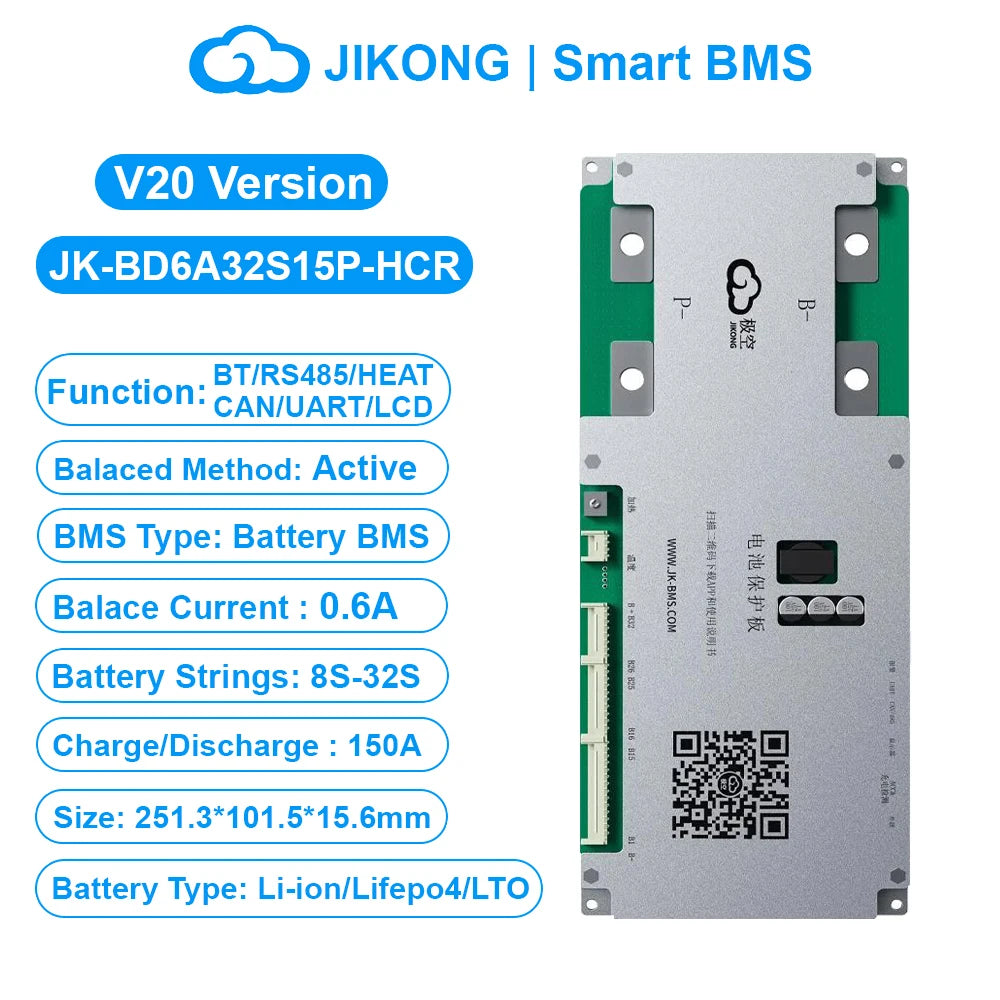
JK BMS BD6A32S15P-HCR V20 Smart BMS 8S-32S BT RS485 HEAT CAN 0.6A Active Balance BMS for LiFePo4 Li-ion Lto Battery 100A 150A
JK BMS BD6A32S15P-HCR V20 Smart BMS 8S-32S BT RS485 HEAT CAN 0.6A Active Balance BMS for LiFePo4 Li-ion Lto Battery 100A 150A
Regular price
$36.13
Regular price
$36.13
Sale price
$36.13
Shipping calculated at checkout.
Quantity
Couldn't load pickup availability
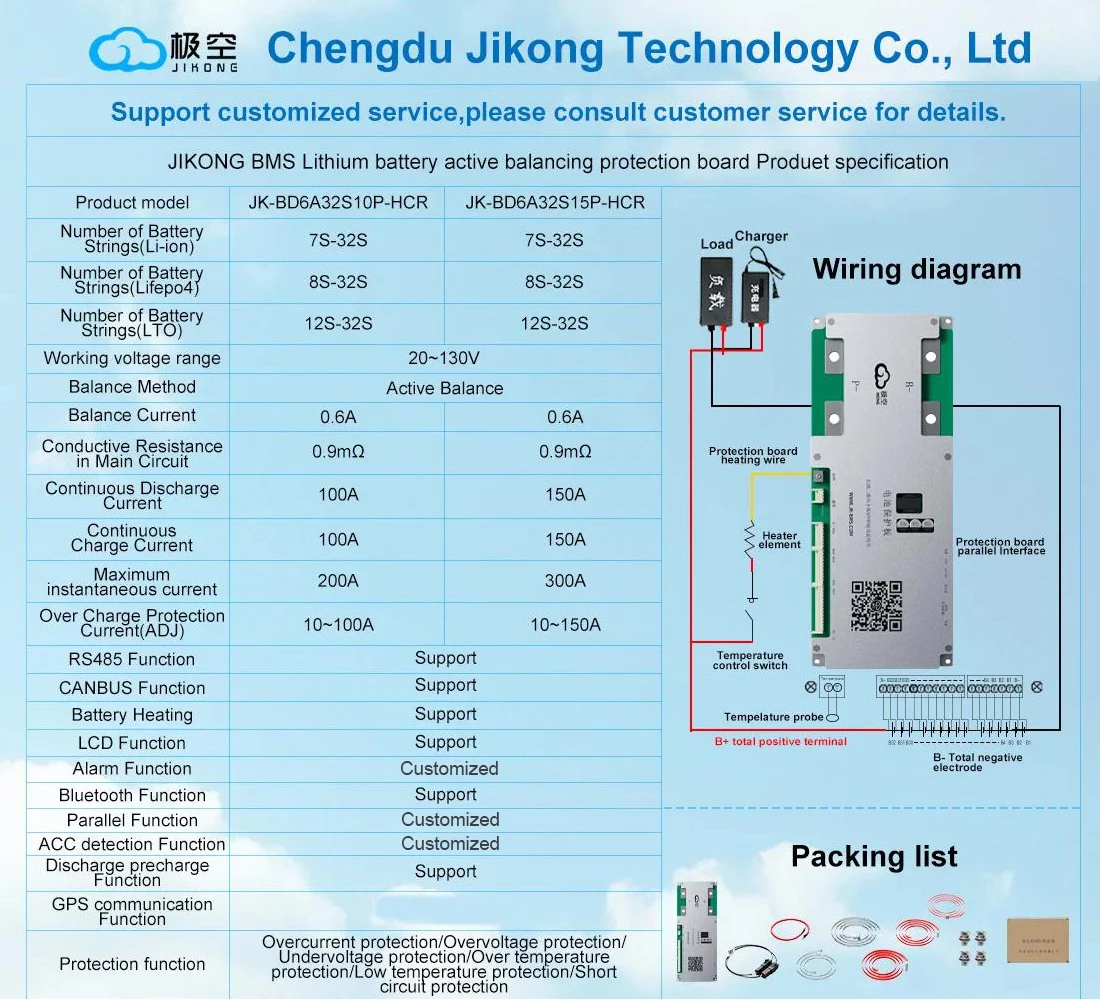
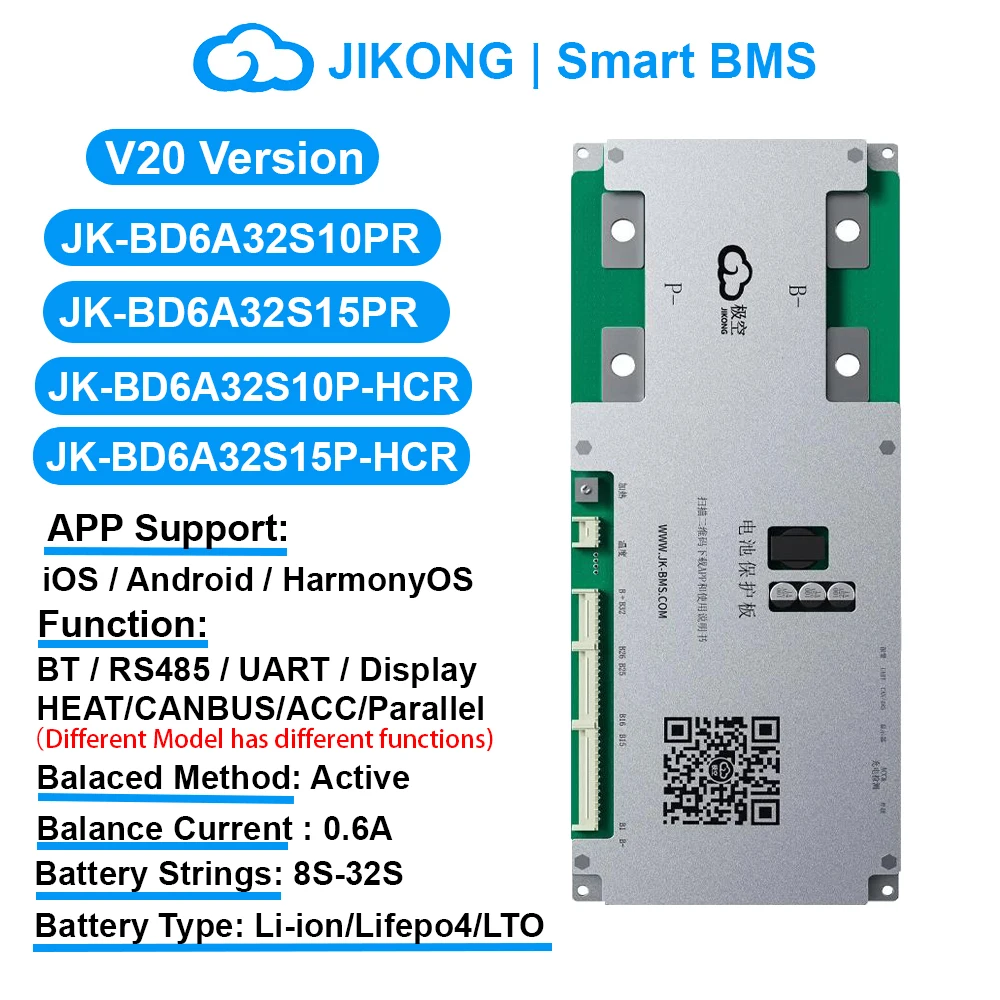
JIKONG BD6A32S15P-HCR V20 Version JK BMS 8S-32S Smart BMS
Support Heat CAN RS485 BT 0.6A Active Balance BMS for LiFePo4 Li-ion LTO Battery Pack 100A~150A JKBMS LCD Display
Note: 1.Different Model has different function,pls choose the model you need and contact us if any questions,thank you.
2.Pls contact us if you need the PDF Document of the Manual or download it yourself from the link,thank you.
BMS Use Manual:
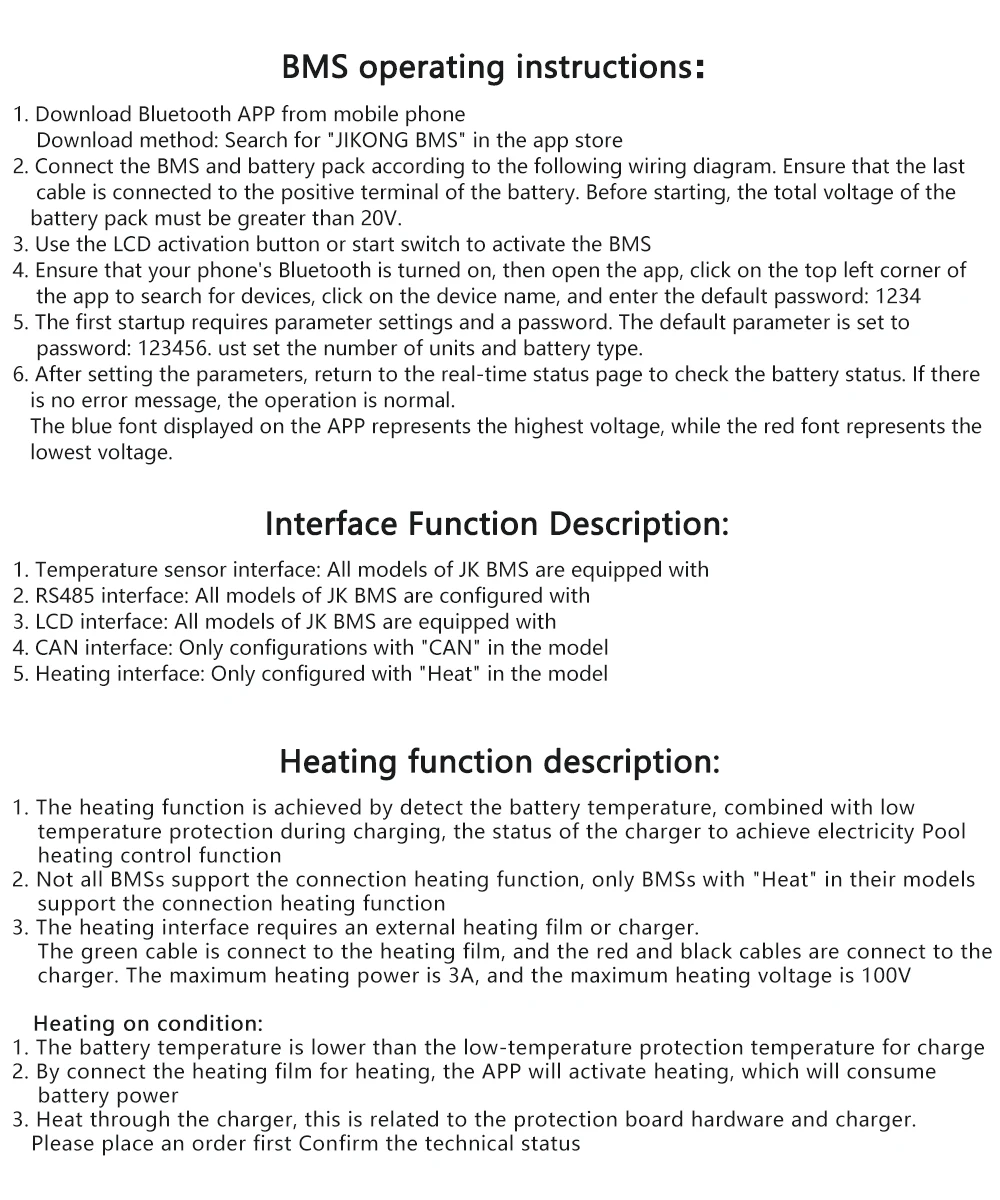
1. Download app and manual
2. Hardware connection
3. Startup
4. Open the app and connect the device
5. Set the number of strings and battery type
6. Check the battery status
Download link-IOS: Search (JIKONG BMS) in the APP STORE
Download link-Andriod : Search (JK BMS) in the Google STORE
(1)Connect the protection board and battery pack according to the following wiring diagram,Make sure that the last power cord is also Connected to the main positive pole,The total voltage of the battery pack must be greater than 20V(Default BMS)/10V(4S BMS) before tarting up.
(2) Use the display activation button or additional switch to activate the BMS.
(3) Turn on GPS and Bluetooth on your mobile phone.
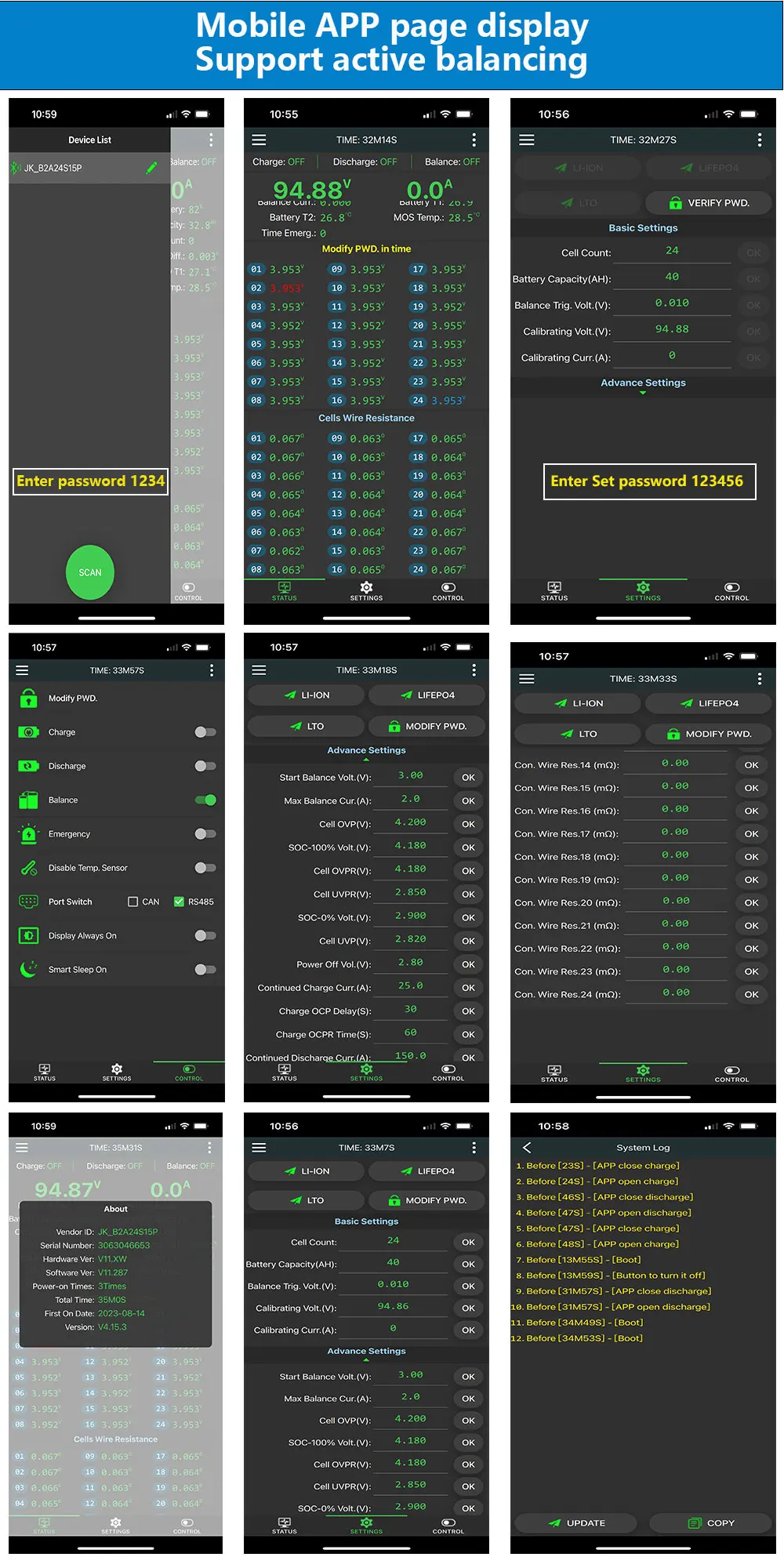
(4) Make sure your mobile Bluetooth is turned on, then turn on APP click on the top left corner of APP to search for devices, and click on the device name to connect to the default password: 1234.
(5) Parameters need to be set for the first start-up Setting requires a password, The default parameter is set to password 123456,Simply set the number of units and battery type.
(6) Once the parameters are set, go back to the real-time status page, check the battery status, no error message is prompted and normal operation,blue is the highest voltage, red is the lowest voltage.
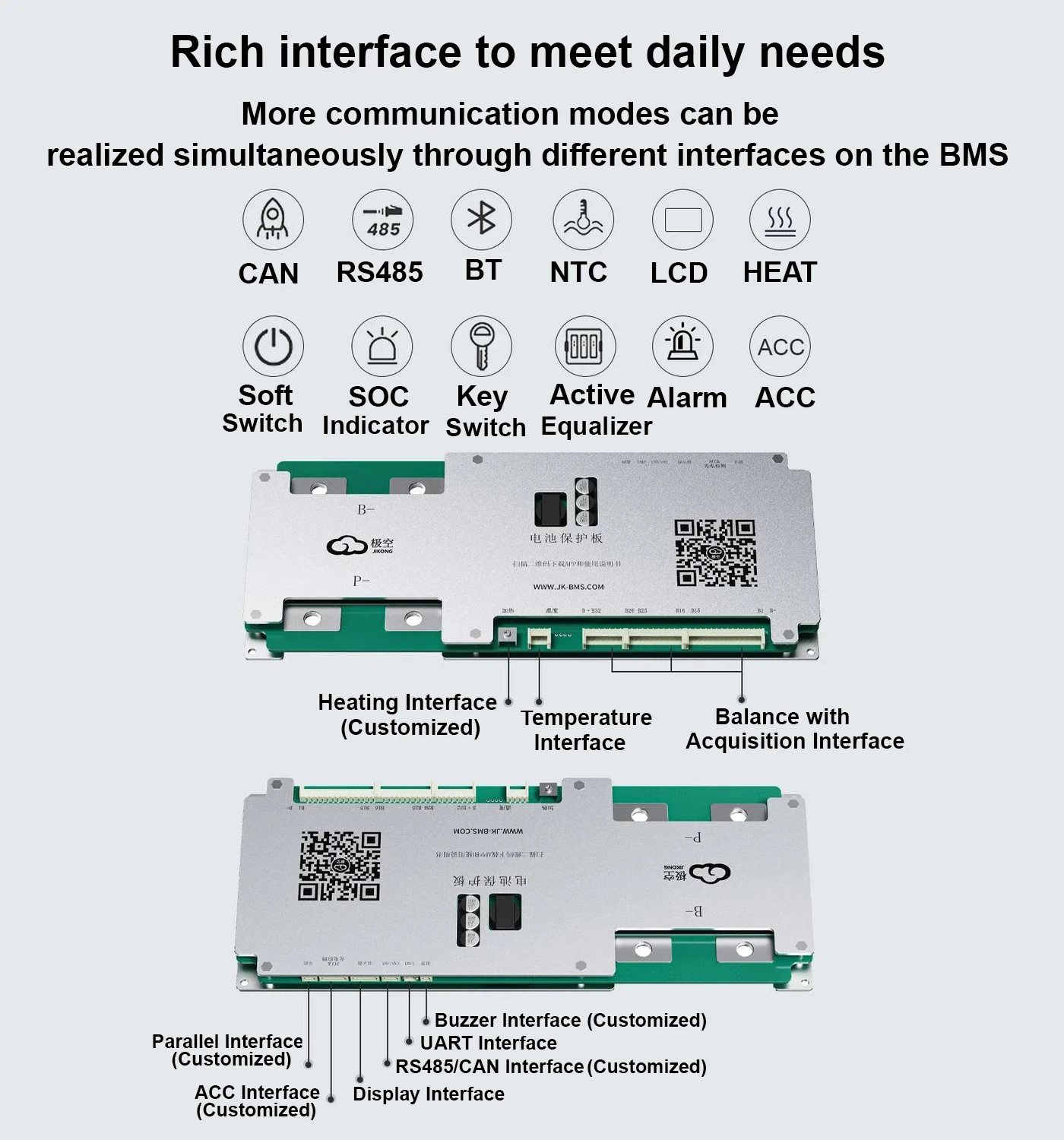
Interface Function Description:
1. Temperature sensor interface: All models of JKBMS are equipped with
2. RS485 interface: All models of JK BMS are configured with
3. LCD interface: All models of JK BMS are equipped with
4. CAN interface: Only configurations with"CAN"in the model
5. Heating interface: Only configured with"Heat" in the model
Heating function description:
1.The heating function is achieved by detect the battery temperature,combined with low
temperature protection during charging,the status of the charger to achieve electricity Pool heating control function.
2.Not all BMSs support the connection heating function, only BMSs with "Heat" in their models support the connection heating function.
3.The heating interface requires an external heating film or charger.The green cable is connect to the heating film, and the red and black cables are connect to the charger. The maximum heating power is 3A, and the maximum heating voltage is 100V.
Heating on condition:
1. The battery temperature is lower than the low-temperature protection temperature for charge
2. By connect the heating film for heating, the APP will activate heating, which will consume battery power.
3. Heat through the charger,this is related to the protection board hardware and charger.